Screenshots
The whole application, as it actually runs.
9 current captures from the latest black-and-white default. Older images were removed because they no longer matched the product.
From the current build
Each frame was taken from the current running desktop build. Nothing here is a mockup, a render, or stock art.
Whole window, unedited
The captures preserve the visible application window. They are not retouched or composited.
Live local workspace
The application is shown as it ran locally, with no provider credentials or private conversation content visible in the captures.
Getting started
Create a local identity, see the starting map, and learn where each part of ReplicaMD lives before opening a project.
 Full size
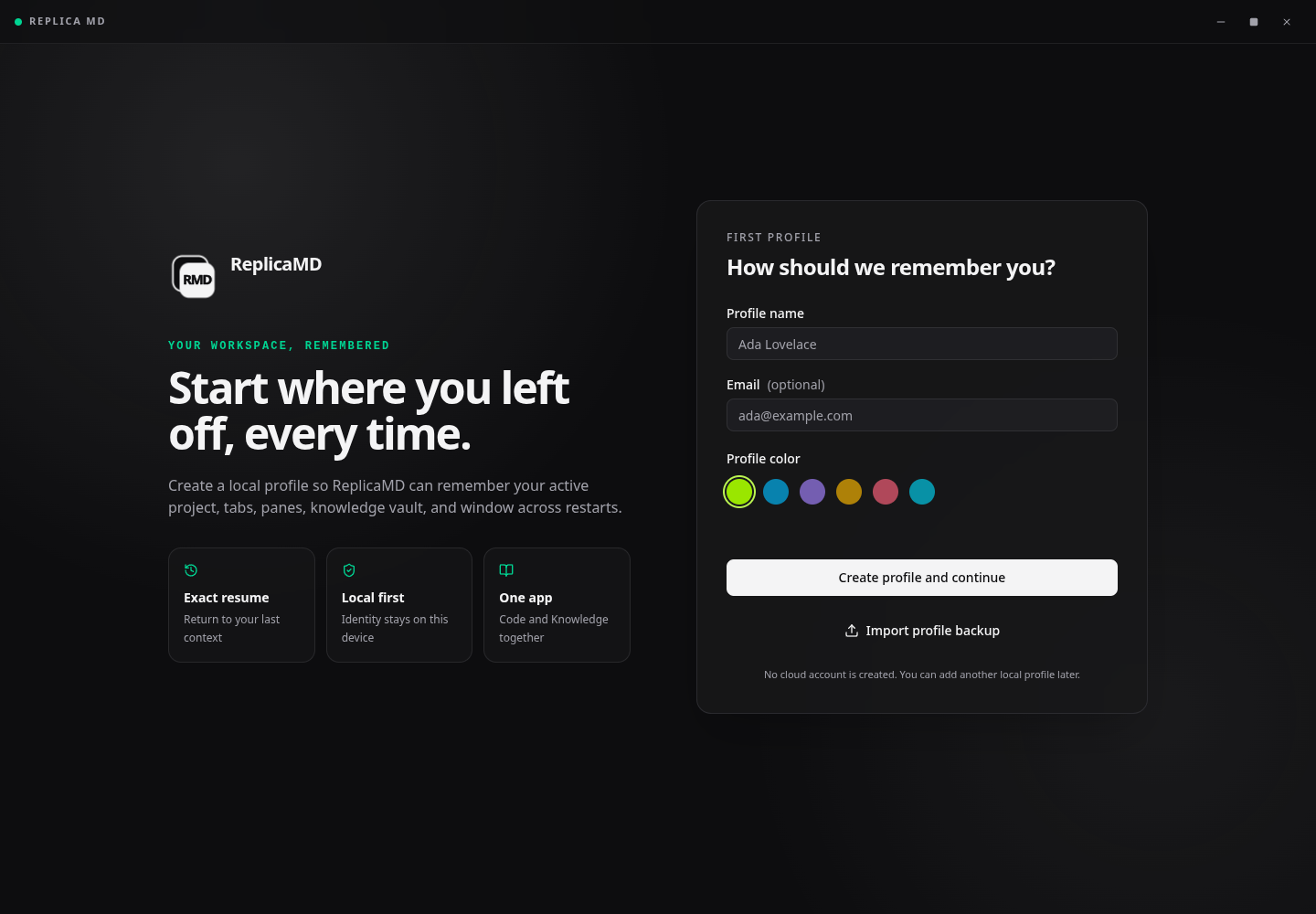
Create a local profile
Name, optional email, profile color, and the local-only continuation action on the current first-profile screen.
 Full size
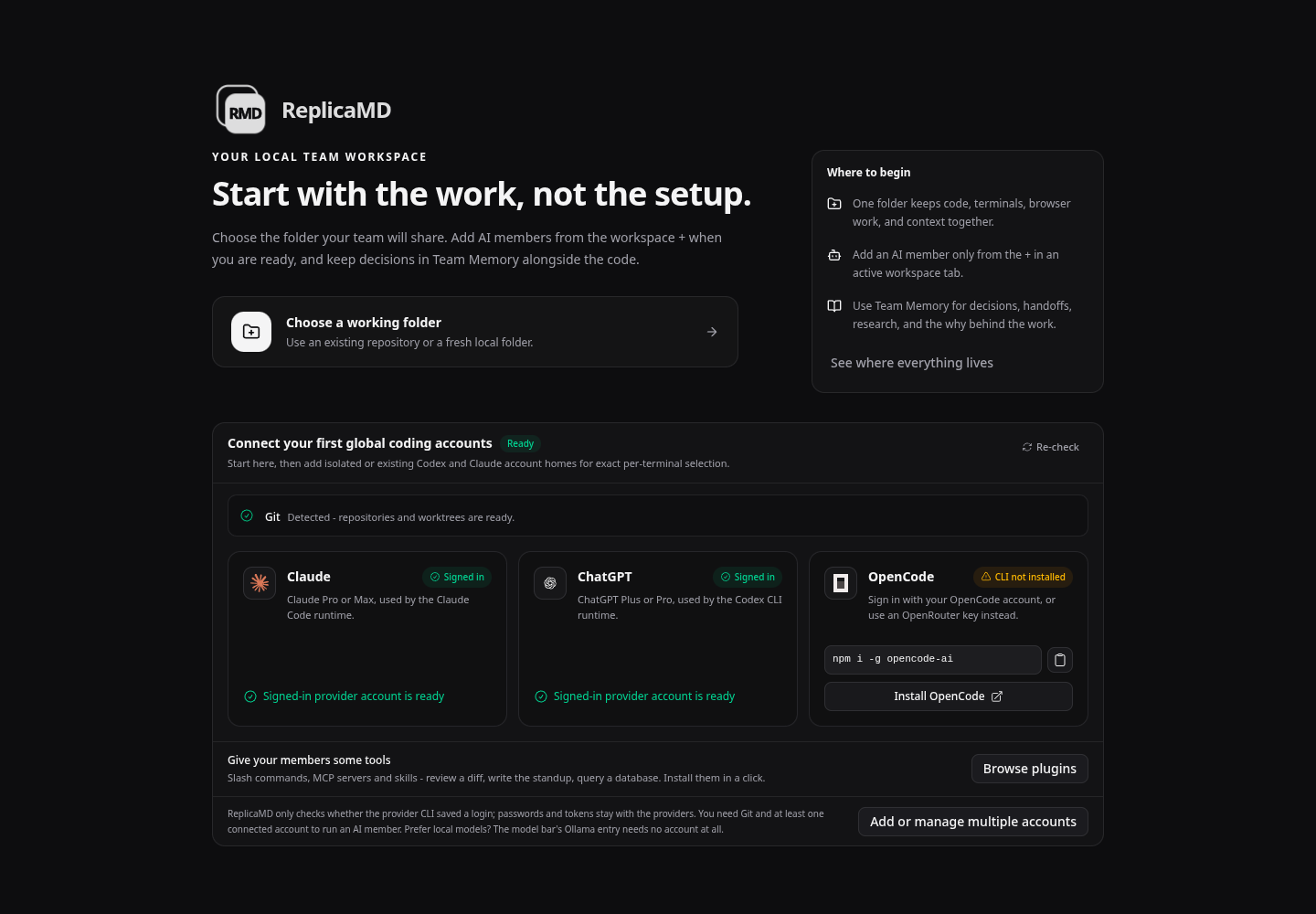
Start with the work
The opening workspace screen maps the first actions, provider checklist, and the button that reveals the complete introduction.
 Full size
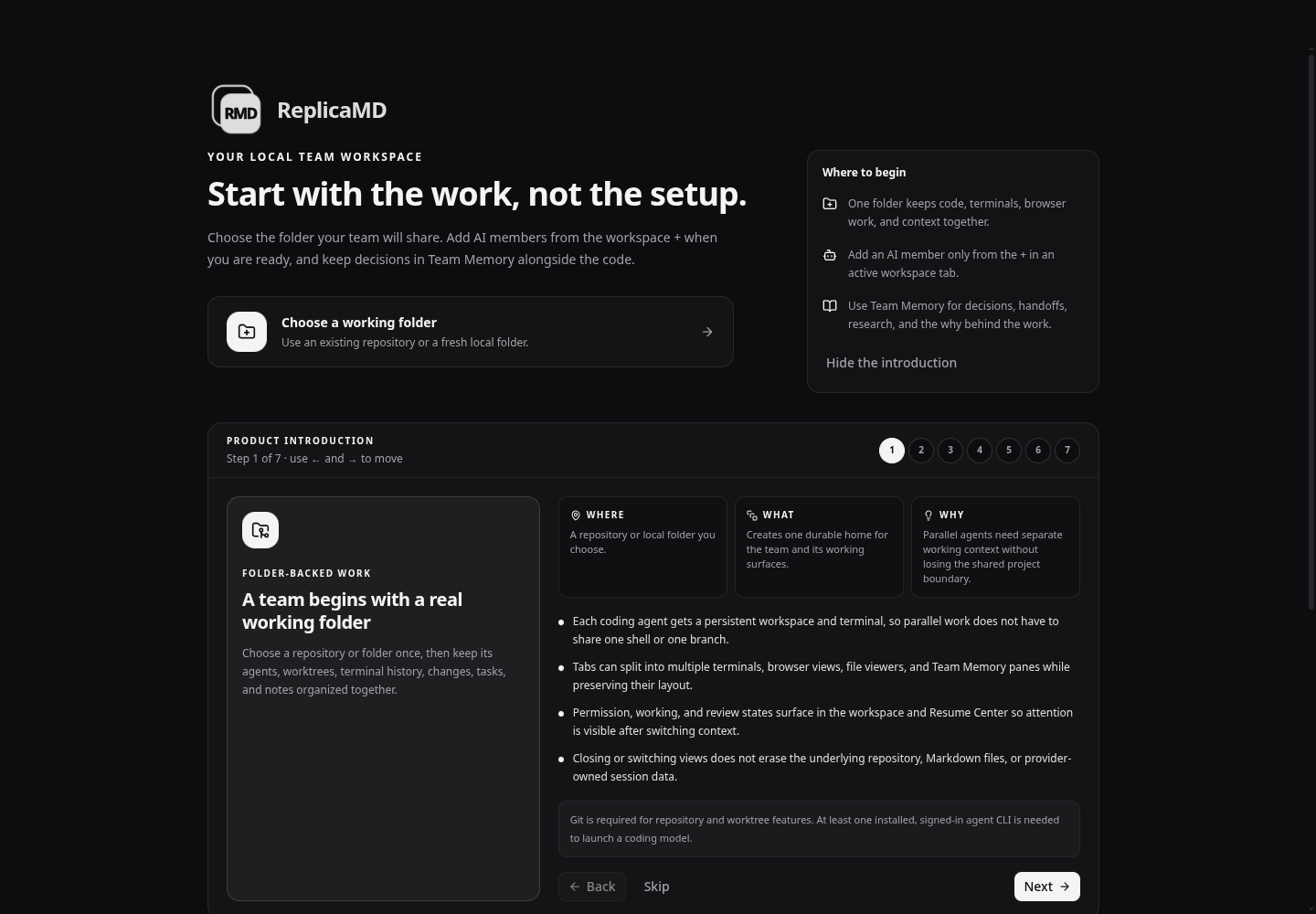
Where, what, and why
The first introduction step identifies where folder-backed work lives, what it contains, and why that boundary matters.
 Full size
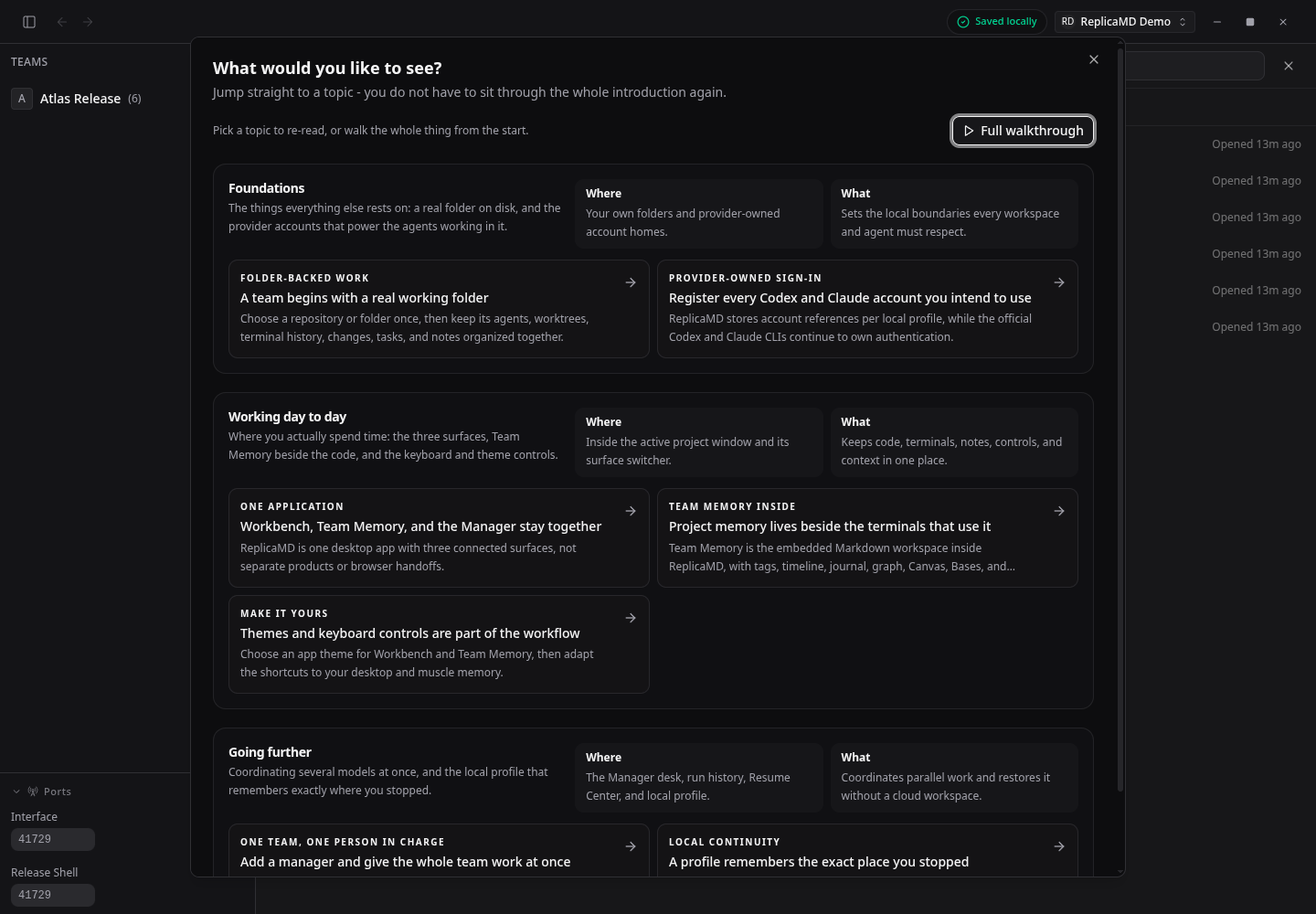
Return to any topic
The introduction browser groups Foundations, Working day to day, and Going further with explicit Where and What summaries.
Team and workbench
A team keeps its active seats visible while each tool opens in the same project window.
 Full size
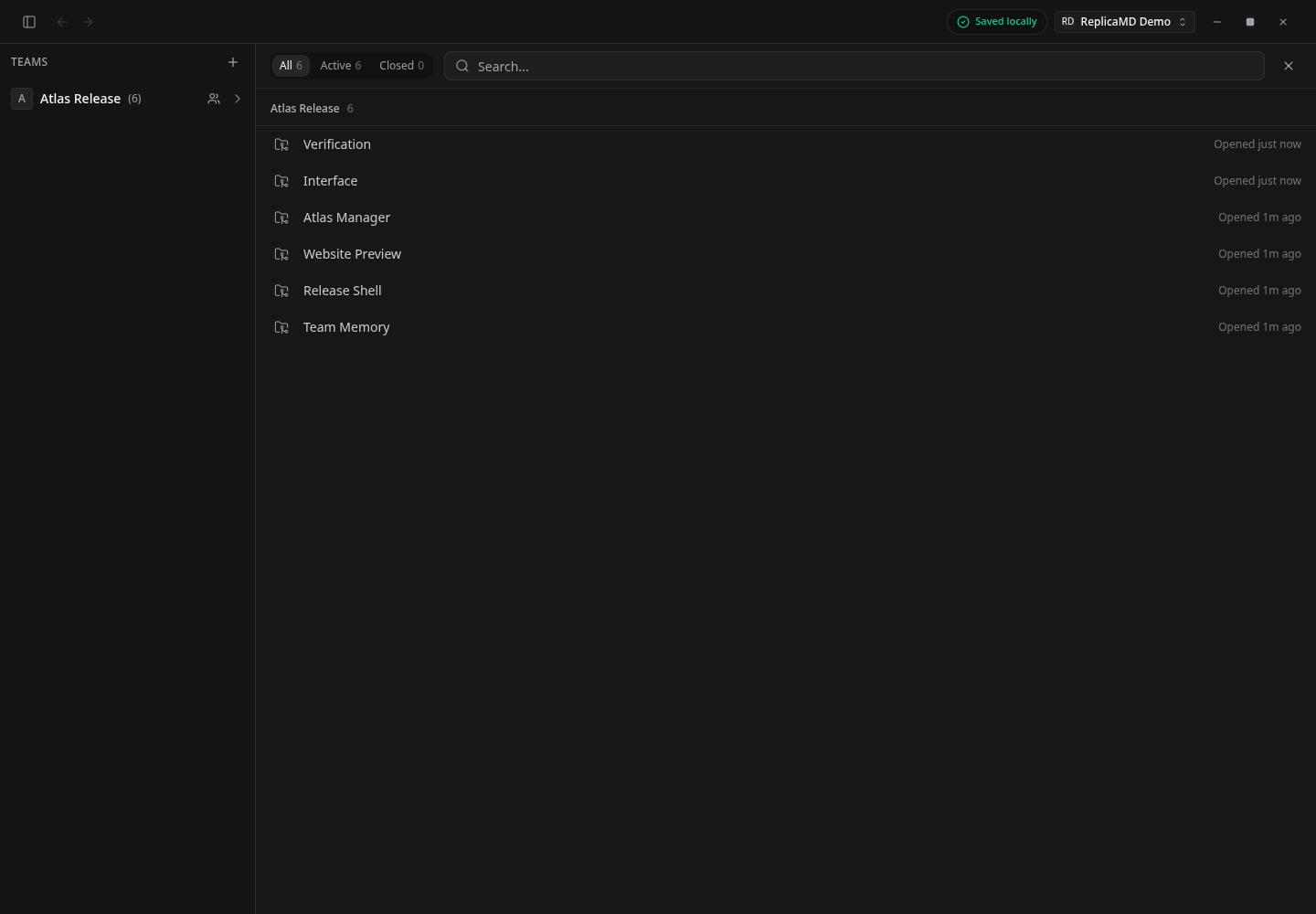
One project, six visible seats
The Atlas Release overview lists two AI members, a manager, browser, terminal, and Team Memory seat with their current activity.
 Full size
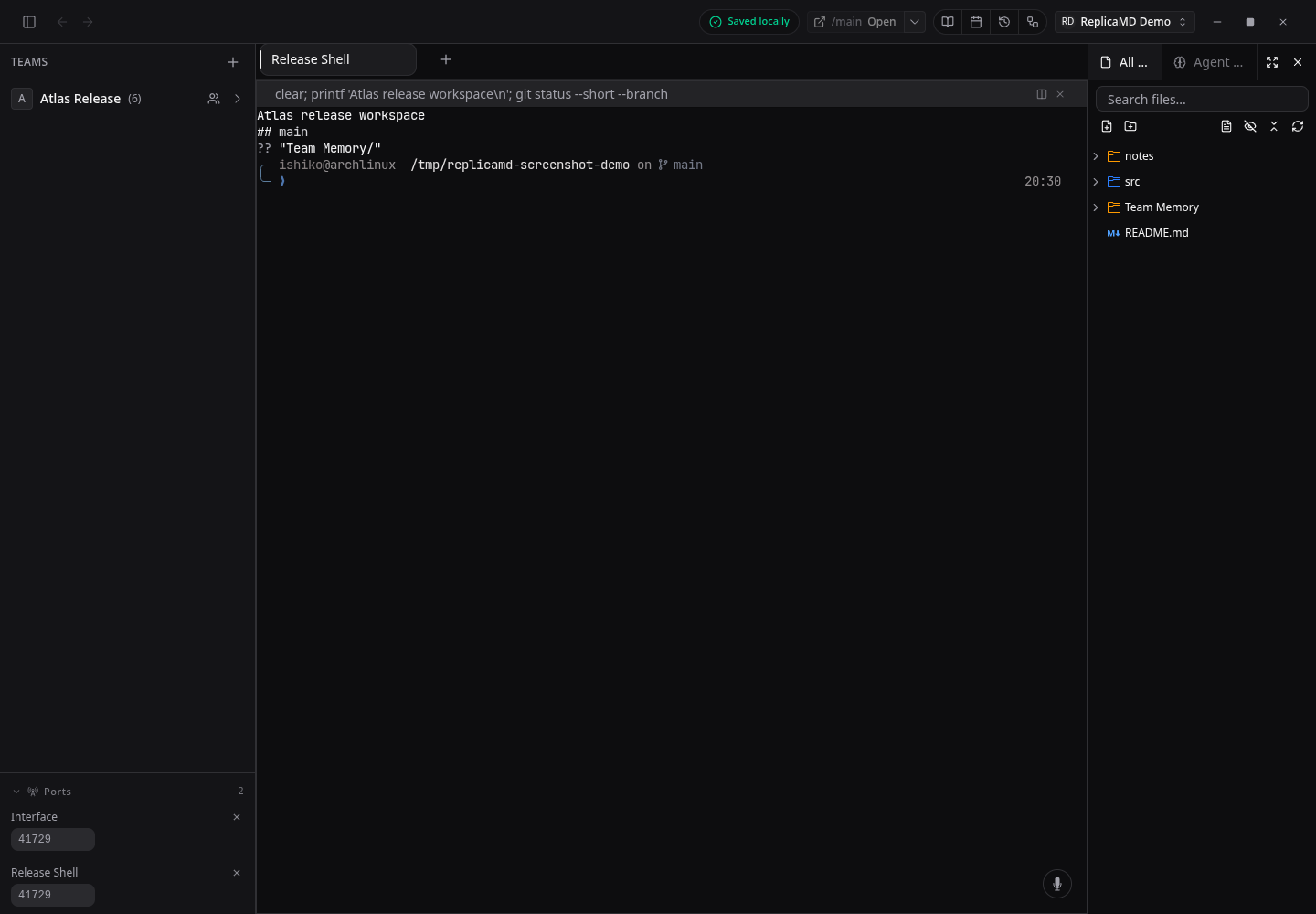
A terminal beside the repository
Release Shell shows the current Git branch and working tree while the project files remain visible in the right sidebar.
 Full size
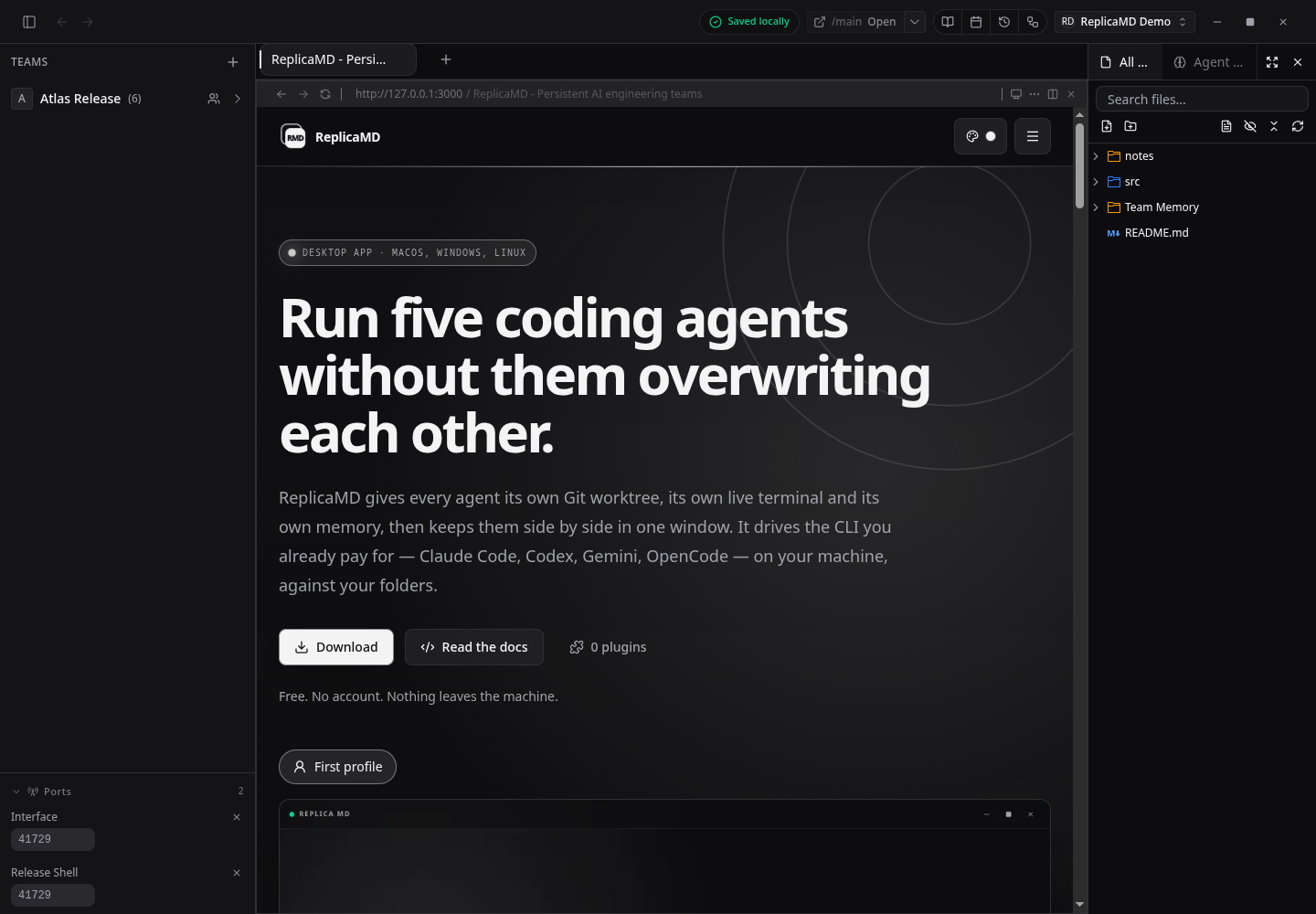
A live website inside the workbench
Website Preview renders the running ReplicaMD homepage inside the project window alongside the team and repository tree.
Memory and controls
Project notes remain ordinary Markdown, while application-wide appearance controls keep every surface readable.
 Full size
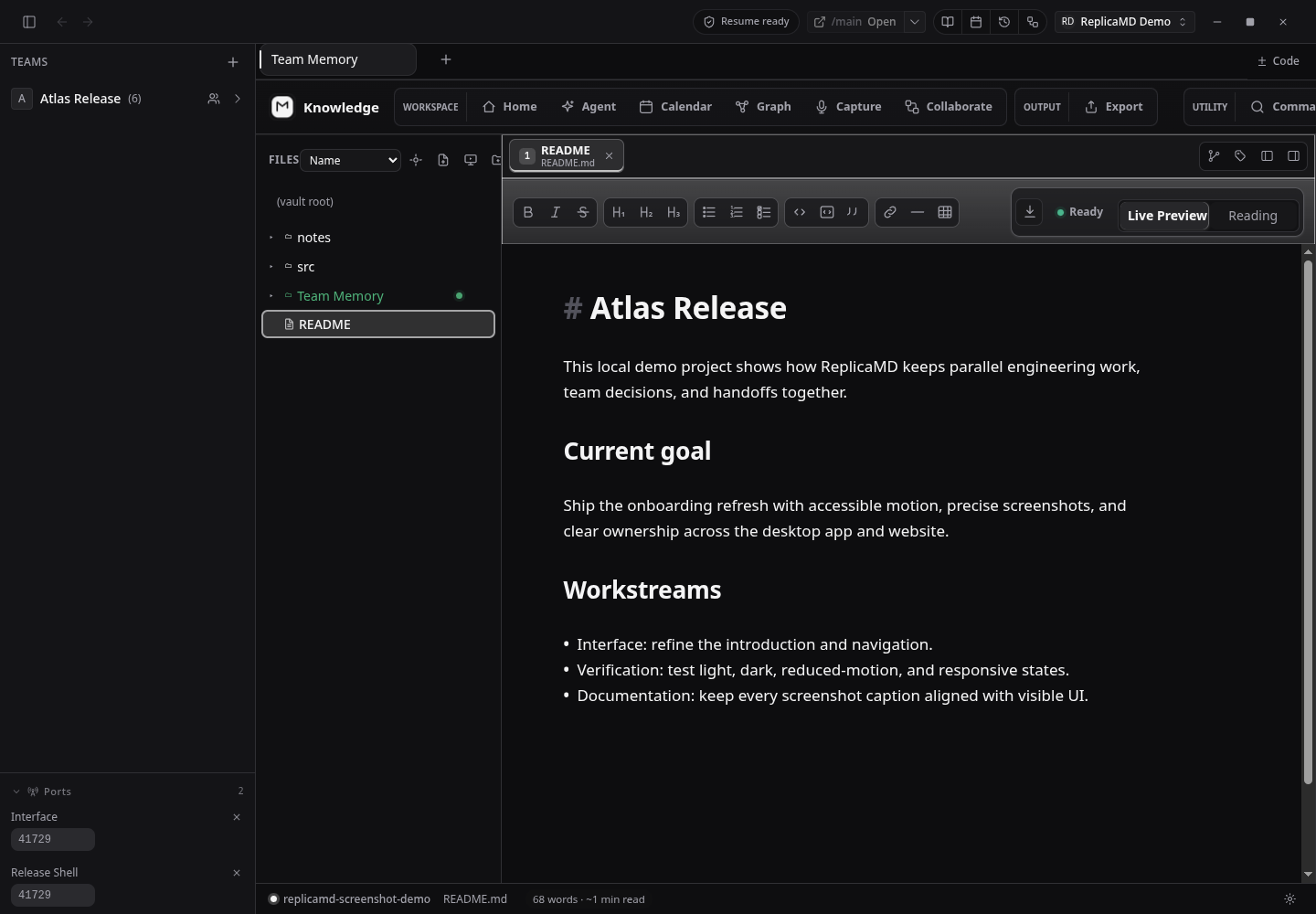
Team Memory in the project window
The repository README is open in Team Memory with its folder tree, editor controls, live preview, and Git-ready status visible.
 Full size
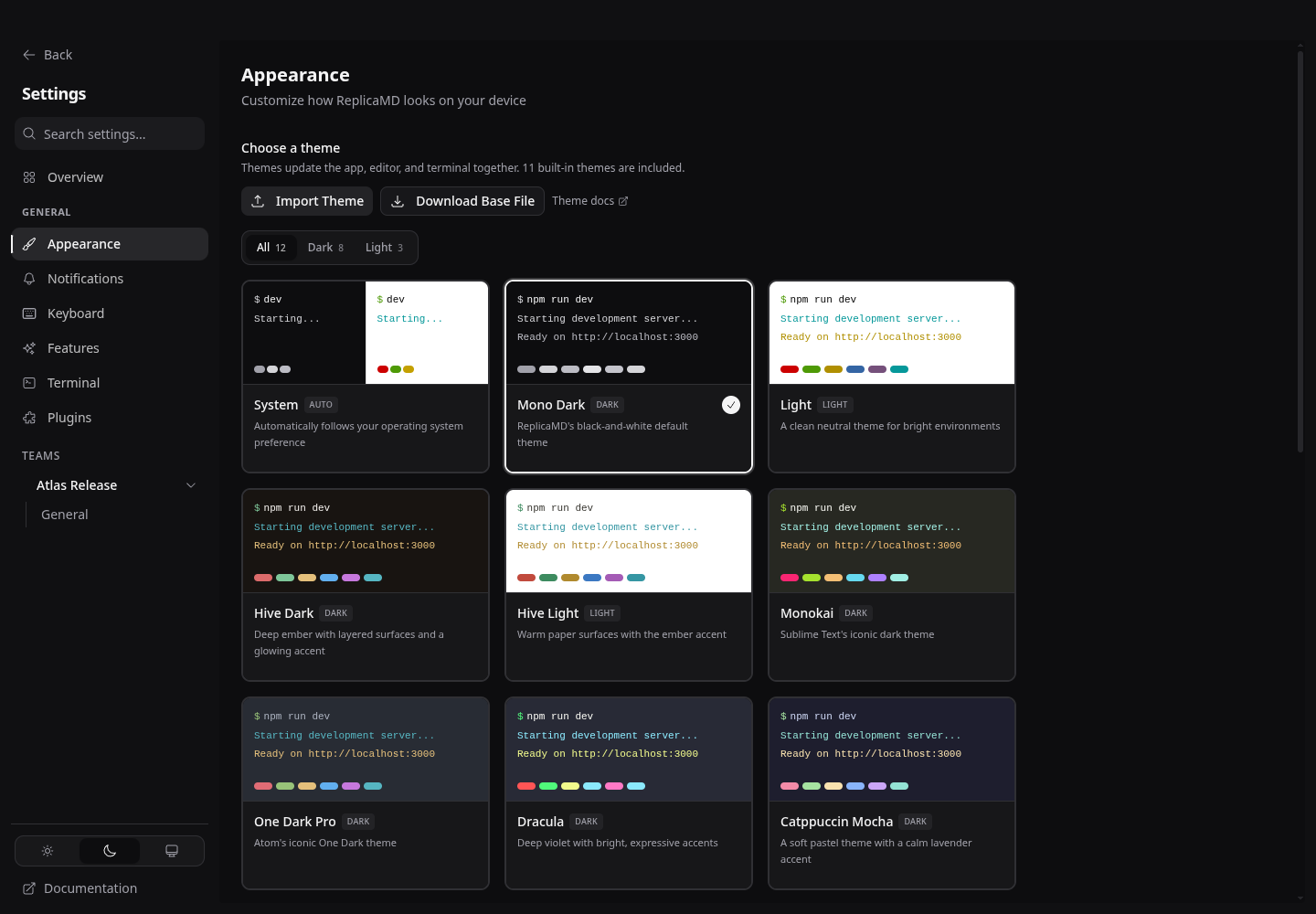
Themes with real code previews
Appearance settings shows the Mono Dark default together with system, light, and alternate theme cards using terminal-style previews.